

Loading the interface. JavaScript is required; controls stay disabled until ready.
Paste your draft below, then analyze its most frequent words.
Density = occurrences / all analyzed tokens x 100. Stop-word filtering hides rows without shrinking that denominator. Percentages round to two decimals; exact count fractions remain visible. This is a repetition aid, not an SEO score or a stuffing detector.
No retained words to display. Try disabling the English stop-word filter.
| Rank | Word | Count | Density / fraction | Share of all tokens |
|---|
Displayed results as JSON
Tokenization, filtering and privacy
Up to 100,000 input units, 20,000 analyzed tokens and 10,000 distinct retained words. Browser Intl.Segmenter uses English word-boundary rules with Unicode support; results can vary with browser Unicode versions. Punctuation separates words instead of joining them; hyphenated words generally split, contractions generally remain together. Curly apostrophes normalize to straight apostrophes and Unicode text normalizes to NFC. Emoji and punctuation-only segments do not count. Numeric-only tokens are excluded unless selected; alphanumeric words remain.
Case-insensitive mode lowercases words; case-sensitive mode keeps capitalization apart. Stop-word lookup ignores case and uses a small fixed English list; it is not language detection. Disable it for other languages or if a hidden word matters. Singular/plural forms and synonyms remain separate. Tied counts sort by Unicode string order. This is single-word analysis, not phrase counting or HTML extraction; pasted markup is treated as text. Only the selected top rows are exported.
Included English stop words
No URL fetches, input uploads, storage or optional analytics. Editing options invalidates old results. Clear or leaving the page clears fields; copied results and clipboard history are separate. Extensions operate independently.
Optimize Content Quality with Word Frequency Analysis
Word frequency shows how often a term occurs. Single-word density divides that count by the total analyzed tokens and multiplies by 100. If a word appears five times in a 250-word text, its density is 2%. That number describes repetition; it does not establish whether the writing is helpful or whether a search engine will rank it.
- Paste plain article text and choose stop-word, case and numeric-token options.
- Analyze and inspect the top 10, 20 or 50 words, counts and density fractions.
- Read repeated words in context, revise for clarity and copy displayed results if needed.
Use repetition data to improve clarity
Read high-frequency words in context. Repeated names or technical terms may be necessary, while repeated filler may be removable. Hide common English stop words to inspect content terms, then turn the filter off when you need the full ranking. Density here always uses all analyzed tokens before that filter, so hiding common terms does not inflate the remaining percentages.
Google's keyword-stuffing policy describes unnatural repetition intended to manipulate rankings. It does not supply a universal safe 2% threshold. Do not add or remove words simply to hit a target percentage. Write naturally, explain the subject clearly and keep terms that readers need.
This tool cannot diagnose a penalty or predict ranking. Use the Word Counter for general length checks or Text Cleaner to tidy whitespace before reviewing a draft.
Questions & answers
Does hiding stop words change keyword density?
No. The denominator stays the total analyzed tokens before stop-word filtering. The filter hides common English words from the leaderboard but does not inflate the other percentages. Changing numeric-token inclusion can change which tokens enter the denominator.
Is a keyword density below 2% always safe for SEO?
No universal percentage establishes content quality or compliance. Repetition should fit the subject and sound natural. This calculator cannot identify search penalties or predict rankings. Review the actual writing and relevant search-engine guidance.
Interpret a word-density percentage
A frequency table helps identify repeated wording in a draft. It counts occurrences under explicit token rules, rather than deciding how often an SEO keyword ought to appear. Use the results to improve clarity and variety where repetition is accidental.
A practical example
Five occurrences in 250 analyzed tokens produce 2% density. Hiding stop words removes rows from the displayed leaderboard but does not reduce the denominator used for that percentage. Two reports can look different if their tokenization, case or numeric-token settings differ, even when the source text is the same.
Choose the comparison settings
Case-sensitive counting can separate a capitalized name from a lowercase word. Optional numeric tokens affect which occurrences are analyzed, and the fixed English stop-word list is not a universal language model. This tool analyzes individual words, not every multiword phrase or a complete topic distribution.
Use repetition as an editing signal
A frequent term may be necessary because it names the subject, or it may signal a vague repeated word that could be made more specific. Read the surrounding sentences before changing it. There is no universal target density that guarantees ranking, and this tool does not diagnose a Google penalty or assess factual accuracy.
Choose your next task
- Social character preview: Label previews as adjustable simulations and avoid unsupported platform-limit claims.
- Word counter: Measure total draft length and reading-time estimates.
- Find and replace text: Make a deliberate literal edit after reviewing repeated wording.
- SRT to text converter: Prepare a transcript before analyzing its words.
- How to Check Word Frequency and Keyword Density Without Overediting: Use frequency reports to improve clarity while keeping tokenization, denominator choices and search-quality claims in perspective.
Learn how to use this tool

How to Convert SRT Subtitles to a Clean Text Transcript
Clean subtitle timing metadata without deleting meaningful numeric captions, then prepare a readable transcript for editing.
About 4 min read
Read guide
How to Preview Social Posts and Meta Descriptions Before Publishing
Compare short-form drafts with estimated previews, write clearer openings and understand why character budgets cannot guarantee display.
About 5 min read
Read guide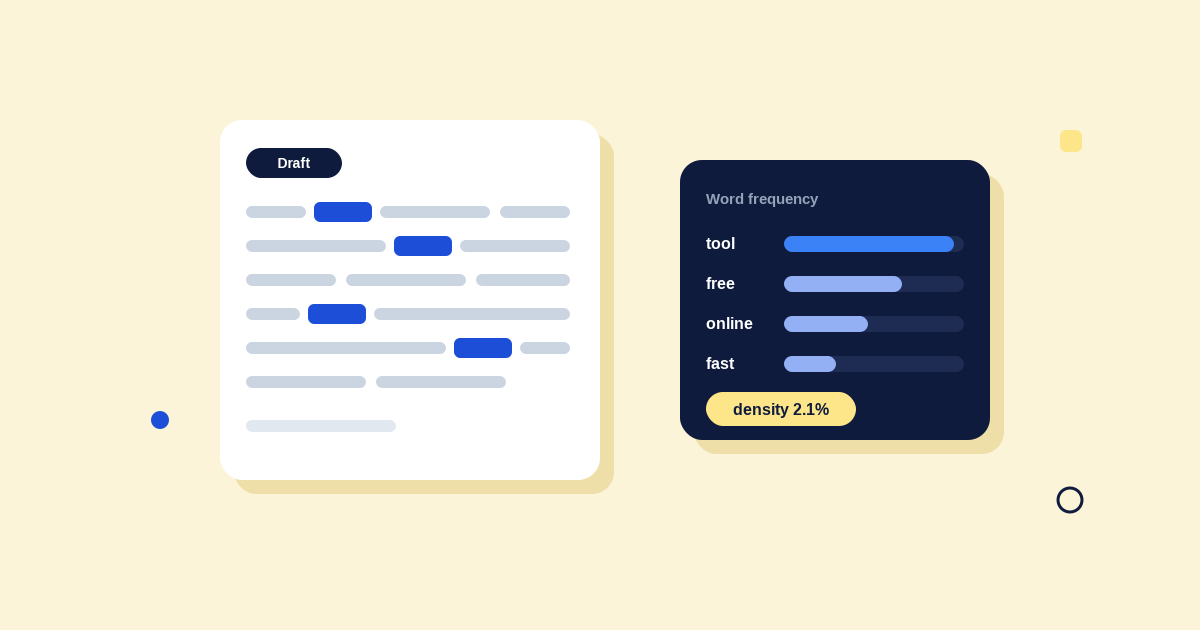
How to Check Word Frequency and Keyword Density Without Overediting
Use frequency reports to improve clarity while keeping tokenization, denominator choices and search-quality claims in perspective.
About 5 min read
Read guide