

Loading the interface. JavaScript is required; controls stay disabled until ready.
Preserves other query parameters and the fragment. Replaces existing lowercase utm_source/medium/campaign/term/content; blank optional fields remove those existing parameters. Browser URLSearchParams normalizes query encoding. Values are case-sensitive; URLs are not opened. Do not place personal or confidential information in campaign parameters.
How to use
Enter a website URL. Set source, medium and campaign; optionally term/content. Generate and copy the campaign URL without navigating to it.
Examples & use cases
https://example.com/page?lang=en#details keeps lang and the fragment when adding newsletter/email/summer campaign values.
About this tool
Uses native URL and URLSearchParams. Requires absolute HTTP/HTTPS URL without embedded credentials, up to 4,096 characters. UTM values allow up to 500 characters. Replaces existing exact lowercase utm_source/medium/campaign/term/content; blank optional term/content remove old values. Other parameters and fragments remain; query encoding is normalized.
Questions & answers
What happens to existing UTM parameters?
The five exact lowercase UTM parameter names are replaced deterministically. Blank optional fields remove the old term/content values. Other query parameters are preserved, although serialization can normalize percent encoding and spaces.
Choose a consistent campaign naming scheme
Campaign tags label where a link was shared and which activity it belongs to. Consistent names make later reporting easier to interpret. The builder creates a URL; it does not configure analytics, grant consent or guarantee that a visit appears in a report.
A practical example
For a newsletter link, source might identify the newsletter, medium might be email and campaign might identify the promotion. Decide your spelling and capitalization before sharing. Different labels can split reporting, and a later change to the link cannot rewrite tags in copies that were already distributed.
Preserve existing URL details deliberately
The base must be an absolute HTTP(S) URL without embedded credentials. Existing non-UTM parameters and the fragment are retained. Exact lowercase source, medium, campaign, term and content parameters are replaced by the builder; blank optional term or content fields remove those old values. Native query serialization can normalize their encoding.
Inspect and test the final link
Copy the result and confirm the destination, original filters and campaign values are what you intended. The parser is useful for seeing decoded pairs. Avoid placing passwords or personal information in campaign values, because URLs can be copied into logs and reports. Measurement still depends on your actual analytics setup and the visitor permissions it requires.
Worked example: tagging a newsletter link
Your November newsletter links to a sale page. Use utm_source=newsletter, utm_medium=email and utm_campaign=black-friday-2026, and optionally utm_content=header-button to tell two links in the same email apart. The final link is https://example.com/sale?utm_source=newsletter&utm_medium=email&utm_campaign=black-friday-2026&utm_content=header-button. In GA4, the visits then appear under that source, medium and campaign.
More questions about the UTM Builder
Are UTM parameters case sensitive?
Yes. Google Analytics treats Email, email and EMAIL as three different values, which splits your reports. Agree on lowercase values with hyphens instead of spaces and keep a shared list of approved sources and mediums so everyone on the team tags links the same way.
Should I use UTM tags on internal links?
No. Tagging links between pages on your own site starts a new session or overwrites the original source in many analytics setups, so visits from Google or social media get credited to your own banner. Use UTMs only on links placed outside your site, such as email, ads, social posts and partner sites.
Do UTM parameters affect SEO?
They do not help rankings. Search engines can treat tagged URLs as duplicates, so make sure your pages have a canonical tag pointing to the clean URL. Avoid putting UTM links in your sitemap or internal navigation. Campaign links shared off-site are fine.
Choose your next task
- URL query parser: Inspect the final decoded campaign parameters.
- URL encoder and decoder: Check one encoded value separately from a full link.
- QR code generator: Represent an approved campaign URL in a QR image.
Learn how to use this tool
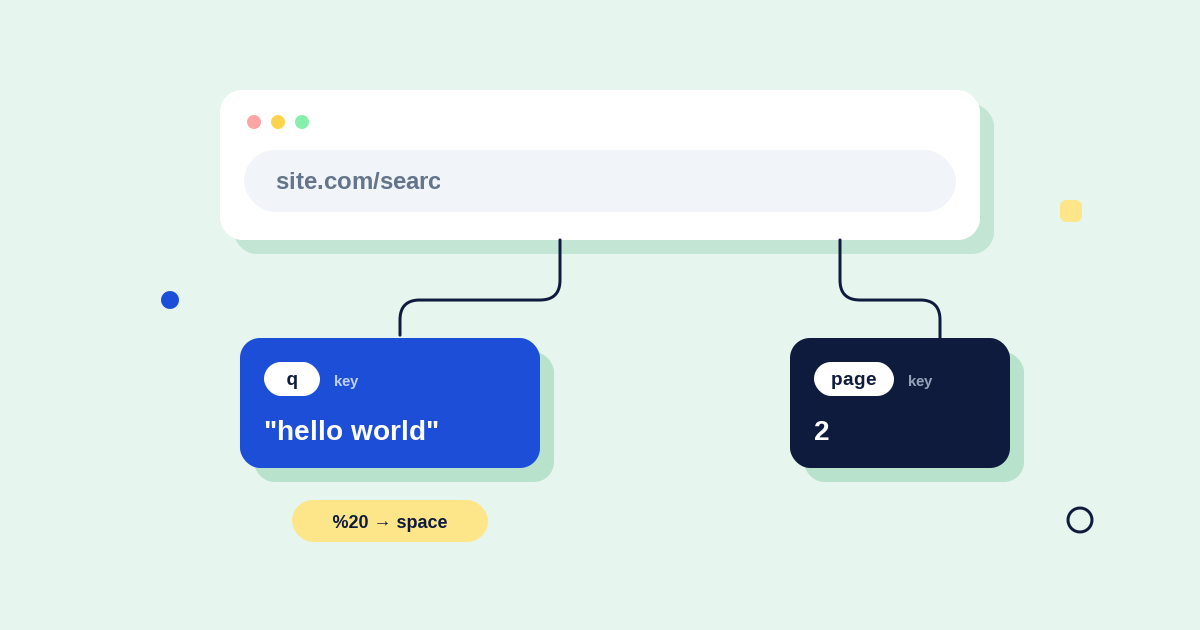
How to Parse URL Query Parameters and Read Encoded Values
Inspect campaign links and query strings without fetching their destinations, while preserving repeated parameters and decoded values.
About 4 min read
Read guide