

Loading the interface. JavaScript is required; controls stay disabled until ready.
Paste the text or encoded value you want to convert.
Select Convert, then copy your result below.
Use a single URL component, such as a search term or parameter value. Encoding a complete URL will also encode its separators. Plus signs (+) stay unchanged when decoding. Maximum 1,000,000 input characters; invalid percent escapes cannot be decoded.
How to use
Choose encode or decode component. Paste input and Convert. Copy the plain-text result or reset.
Examples & use cases
hello world & café encodes to a percent-encoded component suitable for a parameter value.
About this tool
Uses encodeURIComponent/decodeURIComponent, not full-URL encoding or Base64. Maximum one million UTF-16 input units. Plus signs remain literal during decoding; application/x-www-form-urlencoded has different plus handling. Invalid percent sequences, malformed UTF-8 and unpaired encode surrogates are rejected. Output is inert text.
Questions & answers
Should I encode a complete URL with this tool?
No. Component encoding also escapes URL separators such as slash, question mark and ampersand. Use it for individual values. This decoder does not interpret plus as a space.
Encode a parameter value rather than every separator
Percent encoding represents characters inside a URL component using escaped bytes. Use a component encoder for one value, not as a way to assemble an entire address blindly. A complete URL contains separators that have their own structural meaning.
A practical example
The text blue sky & sea becomes blue%20sky%20%26%20sea as a component. Encoding the ampersand prevents it from being read as the start of another query parameter. If you encode an already encoded value, percent signs are encoded too, so decide whether the source is raw text or existing encoded data.
Why a plus sign may decode differently elsewhere
This page uses decodeURIComponent, where a plus sign stays a plus sign. Form-style query parsing often treats it as a space. Use URL Query Parser to inspect that query interpretation. A literal plus in a form value is normally represented as %2B, so the distinction matters for search text and codes.
Malformed input needs inspection
Invalid percent sequences, malformed UTF-8 and unpaired input surrogates can fail conversion. Do not keep decoding until a value happens to look right. This is not Base64, encryption or a check that a URL is safe or reachable. Keep output as text and validate its intended destination separately.
Worked example: a search link with special characters
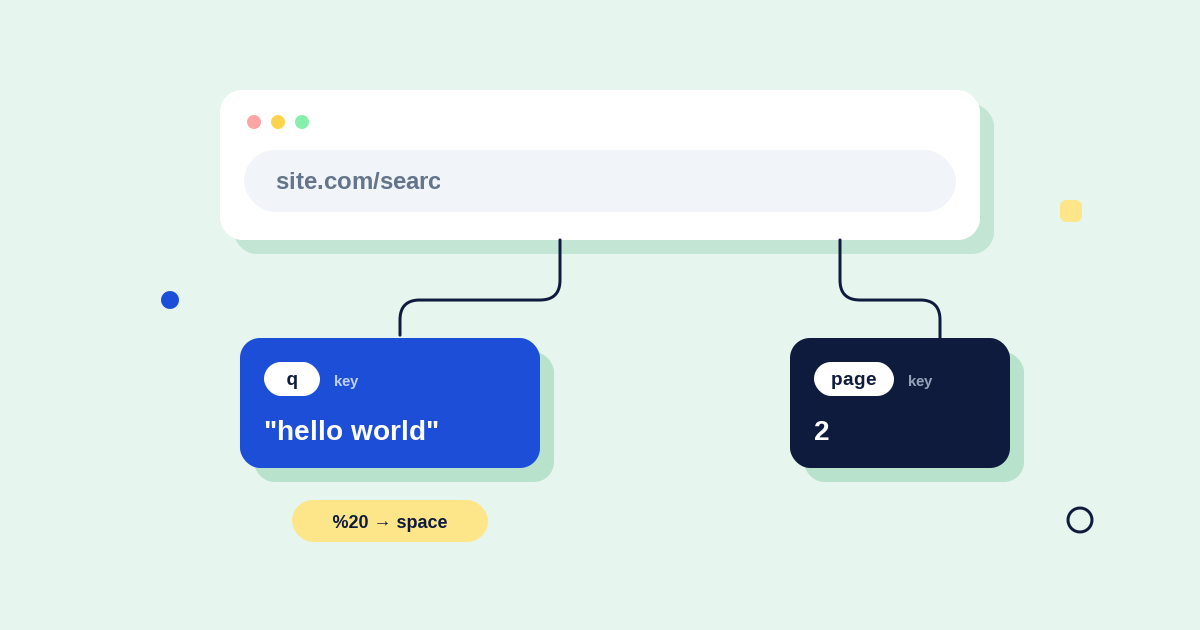
You want to link to a search for fish & chips, café. Pasted raw into ?q=, the ampersand would start a new parameter and the accented letter may break in some clients. Encoding the value gives fish%20%26%20chips%2C%20caf%C3%A9. The space becomes %20, the ampersand %26, the comma %2C and the é becomes two UTF-8 bytes, %C3%A9. Only the value is encoded; the ?q= part of the address stays as it is.
More questions about the URL Encoder / Decoder
Should a space be encoded as %20 or +?
In a URL path, use %20. In a query string sent by an HTML form, browsers encode spaces as +, and most servers decode both forms. If you are building links by hand, %20 is the safer choice because it means a space everywhere, while a literal + in a path stays a plus sign.
Which characters need URL encoding?
Letters, digits and the characters - _ . ~ never need encoding. Characters with a special job in URLs, such as ? & = # / and %, must be encoded when they appear inside a value. Spaces, accented letters, emoji and other non-ASCII text are converted to UTF-8 bytes and written as percent codes.
What is double encoding and how do I spot it?
Double encoding happens when already encoded text is encoded again, so %20 turns into %2520. The giveaway is %25, the code for a percent sign, followed by two hex digits. Decode once and check whether the result still contains percent codes. Fix it at the step that encodes twice rather than decoding repeatedly.
Choose your next task
- UTM builder: Construct campaign URLs without manually joining query components.
- HTML entity converter: Escape characters for HTML text instead of URL components.
- URL query parser: Decode a structured query with repeated keys and form-style plus rules.
Learn how to use this tool
How to Parse URL Query Parameters and Read Encoded Values
Inspect campaign links and query strings without fetching their destinations, while preserving repeated parameters and decoded values.
About 4 min read
Read guide