

Loading the interface. JavaScript is required; controls stay disabled until ready.
Parsed result
URL anatomy
- Protocol
- Hostname
- Port
- Path (URL-encoded)
- Fragment (excluded from query)
This URL has no query string to extract. Try a link containing ?key=value, or use the example above.
| # | Parameter key | Parameter value |
|---|
JSON export Repeated keys preserved
Copy selected value manually
Up to 50,000 input units and 500 parameter pairs. Keys are case-sensitive; repeated keys and empty names/values are retained. Bare flags such as ?debug become empty values, as with ?debug=. Percent-encoding is decoded once by URLSearchParams; + means a space and %2B means a literal plus. Fragments after # are excluded. Malformed encoding follows the browser's forgiving rules and is flagged. Semicolons are literal, not separators. Bracket-style keys remain text, not nested objects. HTML & is not converted into a URL separator.
URL anatomy uses native browser normalization: hostname casing, default ports and encoded paths may differ from your original spelling. Raw control characters and userinfo credentials are rejected. Copying empty values puts an empty string on the clipboard. Input changes invalidate results; Clear or leaving the page clears fields. Clipboard history, copied files and extensions are separate.
How to Parse and Read URL Query Parameters Instantly
A URL query starts after a question mark and commonly contains key-value pairs separated by ampersands. Campaign links often use names such as utm_source, utm_medium and utm_campaign to identify attribution context. This parser displays those values for inspection; it does not verify that your analytics setup collects them or that a campaign is configured correctly.
- Choose complete URL or query-string mode and paste your text.
- Parse and review URL anatomy, repeated parameters and any malformed-encoding warning.
- Copy individual keys or values, or copy the JSON pair array without losing repeated keys.
The anatomy of a campaign URL
https://example.com/offers?utm_source=email&tag=tools&tag=marketing#detailsHere https is the protocol, example.com is the hostname, /offers is the path, and the part after ? is the query string. The #details fragment is separate from the query. Both tag values are retained in order instead of being overwritten.
Decode once and keep repeated values
URLSearchParams already decodes encoded query components. Applying decodeURIComponent again could turn a literal %26 into an ampersand or throw an error on a legitimate percent sign. This tool uses the browser's decoded results directly. It flags malformed encoding and offers a JSON array of pairs so repeated names remain intact. Values are inert text, not clickable URLs or executable markup.
Use UTM Builder to construct campaign links, or the URL Encoder / Decoder for component encoding. Keep secret-bearing links out of public screenshots and shared documents.
Questions & answers
Why are repeated parameter names shown separately?
A query can contain the same key more than once. Preserving each pair in its original order avoids silently dropping values. The JSON export is an array of pairs, not an object with overwritten keys.
Does this tool open the URL or upload tracking tokens?
No. Parsing runs in browser memory without fetching the pasted URL or uploading, saving or logging its text. Optional analytics is disabled on this page. Copied content and clipboard history are separate, and browser extensions operate independently.
How to extract parameters from a URL
Use a query-string parser when a long link hides the values an application receives. The important distinction is between the structure of the link and the decoded text inside each parameter. Reading those separately makes campaign tags, search filters and repeated values easier to inspect.
A practical example
In https://example.com/search?q=blue+sky&tag=one&tag=two, the q value is blue sky and tag occurs twice. The plus sign becomes a space under URLSearchParams query rules. If the intended value contains a literal plus sign, encode it as %2B instead. The fragment after # is not another query parameter.
Choose full URL or query-string mode
Use full URL mode for an HTTP(S) address, including its scheme. Use query-string mode when you only have text such as q=blue&sort=new. A query without an equals sign can still represent an empty value. Check the output before converting pairs into an object: an object cannot preserve several values under one ordinary property name.
Decoding is not verification
A readable value is not proof that a campaign works, that an address is safe or that the remote resource exists. This tool never fetches the pasted URL. Malformed percent escapes can trigger a warning; a second decode can change the intended value or fail. Inspect the original text alongside the decoded value when debugging an encoding issue.
Choose your next task
- UTM builder: Construct a campaign URL after inspecting its parameter names.
- URL encoder and decoder: Encode one parameter value rather than parsing an entire query.
- JSON formatter: Read the exported pair array as formatted JSON.
- How to Parse URL Query Parameters and Read Encoded Values: Inspect campaign links and query strings without fetching their destinations, while preserving repeated parameters and decoded values.
Learn how to use this tool

How to Read and Generate Cron Expressions: Five-Field Guide
Build useful recurring schedules and understand the field order, Unix day rules and timezone assumptions before installing a job.
About 4 min read
Read guide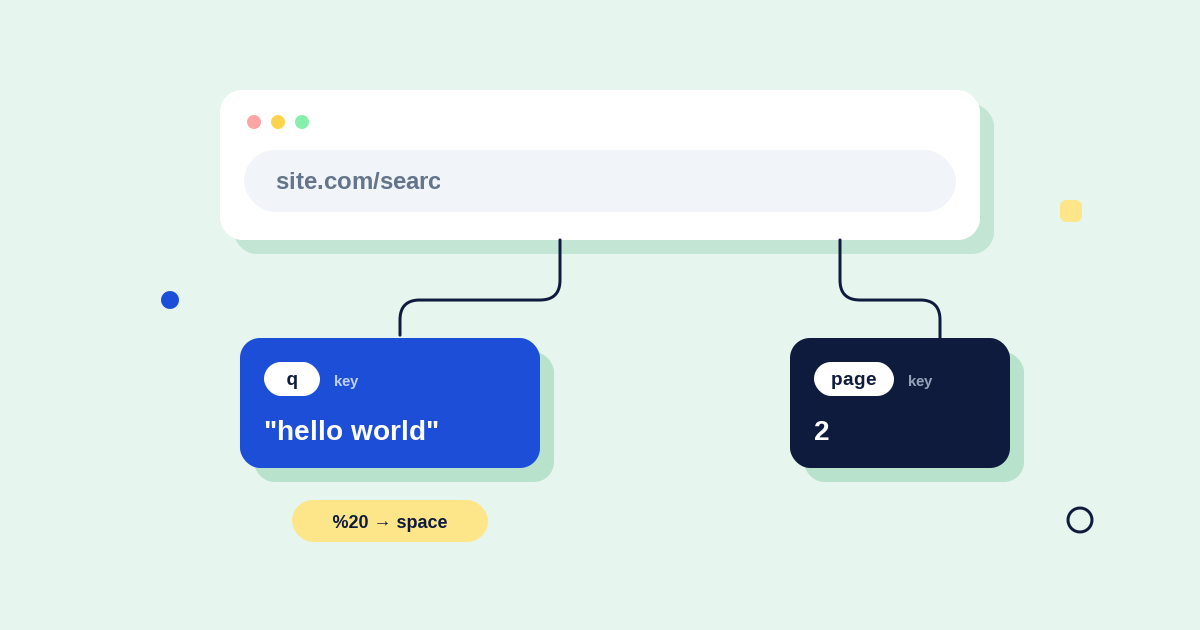
How to Parse URL Query Parameters and Read Encoded Values
Inspect campaign links and query strings without fetching their destinations, while preserving repeated parameters and decoded values.
About 4 min read
Read guide